Sunday, November 15th 2026

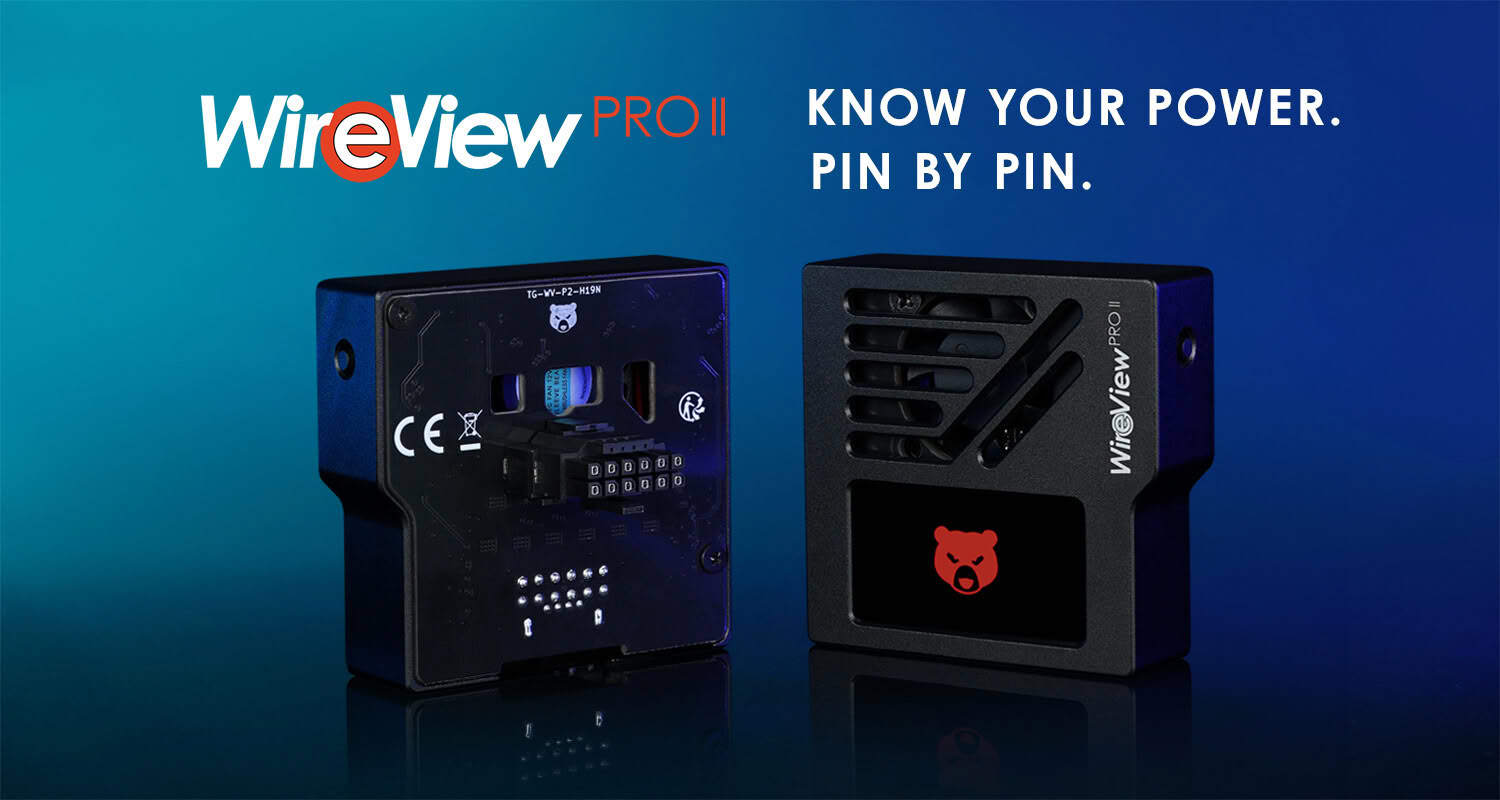
Thermal Grizzly Details WireView Pro II Extended GPU Warranty Conditions

Thermal Grizzly has published an FAQ clarifying the conditions of its WireView Pro II extended GPU warranty, covering cables, settings, adapters, and claims. Neither the USB cable nor the motherboard Y-splitter has to be connected for coverage. The Y-splitter lets the WireView shut the PC down through the power-button header, but Thermal Grizzly only recommends it. Monitoring has to stay enabled, though. Lowering the current, temperature, or power thresholds is fine, but raising them above the defaults or switching monitoring off is not.

Third-party extensions between the WireView and the GPU are allowed as long as each 12 V line stays separate. Adapters that bridge those lines internally stop the WireView from reading the current on each GPU power contact, so those builds aren't covered. A 90-degree connector isn't a problem by itself, since it comes down to the internal wiring. On the PSU side, cables approved for that exact PSU model are fine. Coverage runs for 24 months from the WireView purchase, even after the GPU's own warranty ends, but only for the original buyer with proof of purchase.


The warranty covers damage to the 12VHPWR or 12V-2x6 connector and resulting GPU damage, not unrelated faults, PSUs, or other parts. Shunt mods, XOC BIOS with a raised power target, and commercial mining are excluded. Accepted claims start with a repair, and if that doesn't work, Thermal Grizzly sends a card with comparable performance, though not necessarily the same brand or edition. Owners who spot melting are advised to power down, unplug the PSU, leave the connector attached, take photos, and contact support before shipping anything.
Source: Thermal Grizzly FAQ
Add your own comment

10 Comments on Thermal Grizzly Details WireView Pro II Extended GPU Warranty Conditions

#1
kazuviking
What a weird way to tripple down on the rog equalizer.
Posted on Reply
#2
qlum
kazuvikingWhat a weird way to tripple down on the rog equalizer.
It's simply that the wireview simply cannot do it's job if the lines are connected together on the gpu's side. so it makes sense to not cover damage to the gpu if the wireview no longer protects it.

Same would apply to a rog equalizer on the psu side, wireview can no longer do anything about what happens between the psu and the equalizer.

Even if Asus's system works that is not the point.
Posted on Reply
#3
b1k3rdude
Looking at the engineering, the rog equalizer is essentially an expensive placebo that basically does nothing and protects nothing. Its actually worse than a stock cable -
- wccftech.com/asus-rog-equalizer-shows-significant-load-imbalance-across-pins/

And at £55 its basically a SCAM and a lazy one at that, you would be far better off putting that £55 towards thew WVII and then actually get something that can monitor the current usage, thus help you to help yourself. If I ever manage to get a 4090, the first thing I would buy is the WV.
kazuvikingWhat a weird way to tripple down on the rog equalizer.
In what way? and in what context?
Posted on Reply
#4
kazuviking
qlumIt's simply that the wireview simply cannot do it's job if the lines are connected together on the gpu's side.
That is just bullshit. You can still measure the current passing each wire otherwise the astral cards wouldnt work.
b1k3rdudewccftech.com/asus-rog-equalizer-shows-significant-load-imbalance-across-pins/
Ah yes the testing done by derba8er where he doubled down after the commuty called his ass out on doing improper testing twice. And now he trippled down.
b1k3rdudeAnd at £55 its basically a SCAM and a lazy one at that.
Except it works if you look at proper testing done by hwbusters and not the half assed one roman did.
Posted on Reply
#5
Blast Beat
About ASUS ROG EQUALIZER look what buildzoid said
The only thing i know able to equalize the corrent is the Aquacomputer AMPINEL
Posted on Reply
#6
qlum
kazuvikingThat is just bullshit. You can still measure the current passing each wire otherwise the astral cards wouldnt work.

Ah yes the testing done by derba8er where he doubled down after the commuty called his ass out on doing improper testing twice. And now he trippled down.

Except it works if you look at proper testing done by hwbusters and not the half assed one roman did.
I really don't see how this is aimed at the equalizer not working. It is simply the way the thing works. If you put an equalizer between the wireview and the gpu. the wireview can measure the current on the pins yes.

But the pins are connected to the equalizer and not the gpu in that case. It simply cannot see what happens after the busbar in the equalizer. This is how the equalizer is intended to work.

Makes sense you cannot cover melted pins on the gpu if your protection mechanism cannot detect problems on the gpu side.

The wireview offers no psu warranty for melted pins, so it does not care if it cannot measure that.

It really does not matter here how good or bad the thing works.
Posted on Reply
#7
kazuviking
qlumI really don't see how this is aimed at the equalizer not working. It is simply the way the thing works. If you put an equalizer between the wireview and the gpu. the wireview can measure the current on the pins yes.
It can measure the inbalance before the bridge which matter for the psu.
qlumMakes sense you cannot cover melted pins on the gpu if your protection mechanism cannot detect problems on the gpu side.
I doesn't need to detect any problems on the gpu side as there wont be any.
qlum.The wireview offers no psu warranty for melted pins, so it does not care if it cannot measure that.
If i had to guess more and more people started buying the equalizer for the psu side for the wireview pro 2 so it doesn't melt.
Posted on Reply
#8
_roman_
ASUS ... i think people praised that cable initially how awesome and how well it solves the issue, maybe i am wrong

You sell a ~150€, i do not care, product and give a warranty on a connector. Basically as much as a cable, and replacing two connectors costs, for the gpu and the psu side. You will loose warranty anyway for the graphic card and the power supply unit. In Austria you will have legal issues with the law in regards of the power supply unit caused my modification when you are not a certified guy with a lot of state electrical certifications. Modifying the power supply unit and suing the "repair" company could be a business in some cases when you have access to a smart lawyer. That is the reason why i only replace the full power supply unit or the hole power supply assembly board when i did repairs.
Posted on Reply
#9
b1k3rdude
kazuviking- That is just bullshit. You can still measure the current passing each wire otherwise the astral cards wouldn't work.
- Except it works if you look at proper testing done by hwbusters and not the half assed one roman did.
  • Your over dramatic comment aside, using the RogEquilizer (RE) with the wireview (WV) is only allowing WV monitor one end of the cable, not the whole cable. Which is what I think @qlum was probably trying to say.
  • You mean a short 10 min stress test, that was done on a custom lab-based setup?
The primary issues with the RE are the price (charging £55 what is essentially not any more complicated than a generic 12x6 PCIe cable) and the fact the RE does not do anything to address the poor pin design, that has already had one report of over heating and melting like every other 12x6 connector that failed in this manor. Its been widely excepted that the wires going into the connector need to have to have some give, to allow the female connector to fully and correctly seat on the pins. That hard-soldered bridge is going to prevent that, so if the cable is flexed or bent even slightly its going to pull/move one or more pins, causing resistance, then heat, then melting.

As has been said now ad-infinitum, this connector standard has been a sh!t show from day one. So in short, were I too own something like a 4090, I would want some kind of warning that the cable is about to fail and the WV does this, the RE does not. I would rather put the £55 towards the WV and have piece of mind.

Posted on Reply
#10
kazuviking
b1k3rdude
Thanks for showing this single AI altered image i said in the very beginning. The post is gone after op was called out for altering the image and igorslab already debunked it.

For the report circulating via Reddit and originally on Chiphell, the findings from a technical review are correspondingly sobering. The alleged damage photo does not show a cleanly documented thermal defect, but rather a subsequently altered image. The forgery is not particularly convincing. Apparently, a rather inexperienced prompt writer for an image AI merely instructed it to make some contacts look “burnt,” without first looking at how a genuinely overheated connector actually changes. The result is black, locally applied spots that may appear dramatic at first glance, but on closer inspection hardly match the thermal behavior of the plastic used.

In essence, three contact chambers of the upper row were altered: from the viewer’s perspective, the first, fifth, and sixth positions from the left. The damage is thus located on a common row of the 12V lines. The left position shows an approximately circular gray-black discoloration. At the fifth contact chamber, there is likewise a fairly circular black area around the opening. On the far right, a more deformed-looking dark structure was added that is intended to resemble raised or folded-over plastic. These three areas, however, are precisely what stand out because they lack a thermal transition. The directly adjacent violet plastic retains almost unchanged color saturation and surface texture compared with the undamaged image. The usual transition zones of changed gloss, yellowish or brownish discoloration, softening, shrinkage, blistering, and subsequent charring are largely absent. The black areas appear applied rather than produced by continuous heating of the existing material. Particularly conspicuous is the far-right chamber. There, a dark, laterally raised element appears without the adjacent violet walls showing any corresponding material displacement. In the case of actual softened and displaced thermoplastic, material would be missing in one place, piled up in another, and a plausible deformation zone would extend along the heat flow. This continuity is not convincingly present in the image.


In a real heat problem, the damage would not be limited to three cleanly bounded contact openings. The entire area surrounding the Hotspot would initially turn yellowish and later brownish. At the same time, the surface would lose its original gloss, become more matte, softer, and depending on the temperature, appear slightly sunken or warped. The transition between intact and damaged material would also be much more gradual. In the manipulated image, however, the violet plastic surfaces outside the black areas remain conspicuously uniform and glossy. Instead of plausible melt zones, the openings of the affected pins also show coarse, almost modeled ridges, as if the AI had placed dark material around the contacts in a ring shape. Real melt damage is usually more irregular, because the plastic softens, recedes, and deforms along the temperature gradient.

The case thus illustrates quite clearly how little one should trust spectacular “evidence images” from social networks without checking them. Reddit and Chiphell, and then as superspreaders WCCFTECH or videocardz.com, can provide valuable hints, but they are not a technical primary source. As soon as a supposed sensation begins circulating, it is often shared further before anyone checks its origin, image details, and physical plausibility. Especially with well-known flashpoints such as 12VHPWR or 12V-2×6, apparently a half-decently dramatic image is enough to generate a new damage report. However, anyone who knows what real thermal damage on connectors looks like will quickly recognize here that the prompt contained more imagination than material


science.
Posted on Reply
Nov 24th, 2026 01:05 CST change timezone

New Forum Posts

Popular Reviews

TPU on YouTube

Controversial News Posts