Sunday, September 6th 2026

Microsoft Now Lets AI Build Native WinUI 3 Apps for Windows 11 in Under 30 Minutes
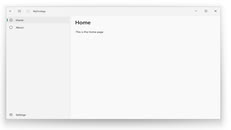
Microsoft has published a quick-start guide showing developers how to build a native WinUI 3 app for Windows 11 in about 30 minutes using AI. The workflow runs on free tools, VS Code,.NET 10, GitHub Copilot's free tier, and Microsoft's winapp CLI, so Visual Studio isn't needed. The guide covers scaffolding a project, using an AI agent to add features like a settings page, testing the result, and packaging it as an MSIX installer for the Microsoft Store.
The agent used here, called winui-dev, isn't the general Copilot chatbot most Windows users already know. Rather, it's a specialized plugin with skills for WinUI design, code review, UI testing, packaging, and migrating older apps. Microsoft also recommends connecting it to its Learn MCP server so it pulls current WinUI documentation instead of relying on training data, since WinUI 3 is newer and less represented in AI training sets than older frameworks like WPF and UWP.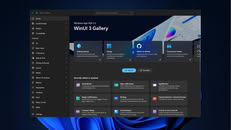
 This step fits into Microsoft's recent push to get developers off web wrappers and Electron-style apps, which tend to eat noticeably more RAM than native code. The company dropped the "3" from WinUI's name at Build 2026, calling it the platform's long-term foundation, possibly trying to reassure developers it won't get replaced again. Microsoft has also been swapping WinUI 3 into parts of Windows 11 itself, including File Explorer's Properties window. However, some apps like the Windows 11 Weather app are still WebView2-based and reportedly use several times the RAM of native alternatives.
Sources:
Microsoft, Windows Latest
The agent used here, called winui-dev, isn't the general Copilot chatbot most Windows users already know. Rather, it's a specialized plugin with skills for WinUI design, code review, UI testing, packaging, and migrating older apps. Microsoft also recommends connecting it to its Learn MCP server so it pulls current WinUI documentation instead of relying on training data, since WinUI 3 is newer and less represented in AI training sets than older frameworks like WPF and UWP.


18 Comments on Microsoft Now Lets AI Build Native WinUI 3 Apps for Windows 11 in Under 30 Minutes
No!
In the meantime (following the previous update to Windows 11 26H2 26300.9278!), I’ve reverted to "Windows 10 IoT Enterprise LTSC 2021," and it looks like that won't be changing anytime soon right up through 2032.
By the way,
the upcoming Patch Tuesday is going to be my day.
Regards,
Fred.
Lol. Lmao, even. How many times does MS need to be told that their shit-ass store is not fit for purpose - that being a repository for most software that a Windows install might need.
And, well, also should be noted that I am not sure why MS thinks it’s the job of third-party devs to work around their baffling OS development choices, AI or no.
By the way:
#broken by design
Regards,
Fred.
This is just copilot with a MCP tool that serves the wiki files. The only way this would be better than a foundational model is if they block documentation or only let certain docs get accessed by the MCP otherwise, it's still copilot, and even with that hookup it will be worse for coding and dev than a Fable or latest GPT.
No one is using all half baked apps.
But, really, I think Microsoft just lost whole department with no IT guys left... only managers and AI-slop-coders, so... We can expect even more junk in future.
I find it interesting that you're doubling down in favor of an OS that was and still is the inferior option. I would personally rather go back to Win7 rather than the garbage of Win10. But you do you..Key point there. It's likely configured with all sorts of corp junk running in the background, potentially configured by a mildly incompetent sysadmin. For reference, I have Win11 running very smoothly on a system equipped with a i5-7300u and 8GB of RAM. The software config matters more than the hardware.